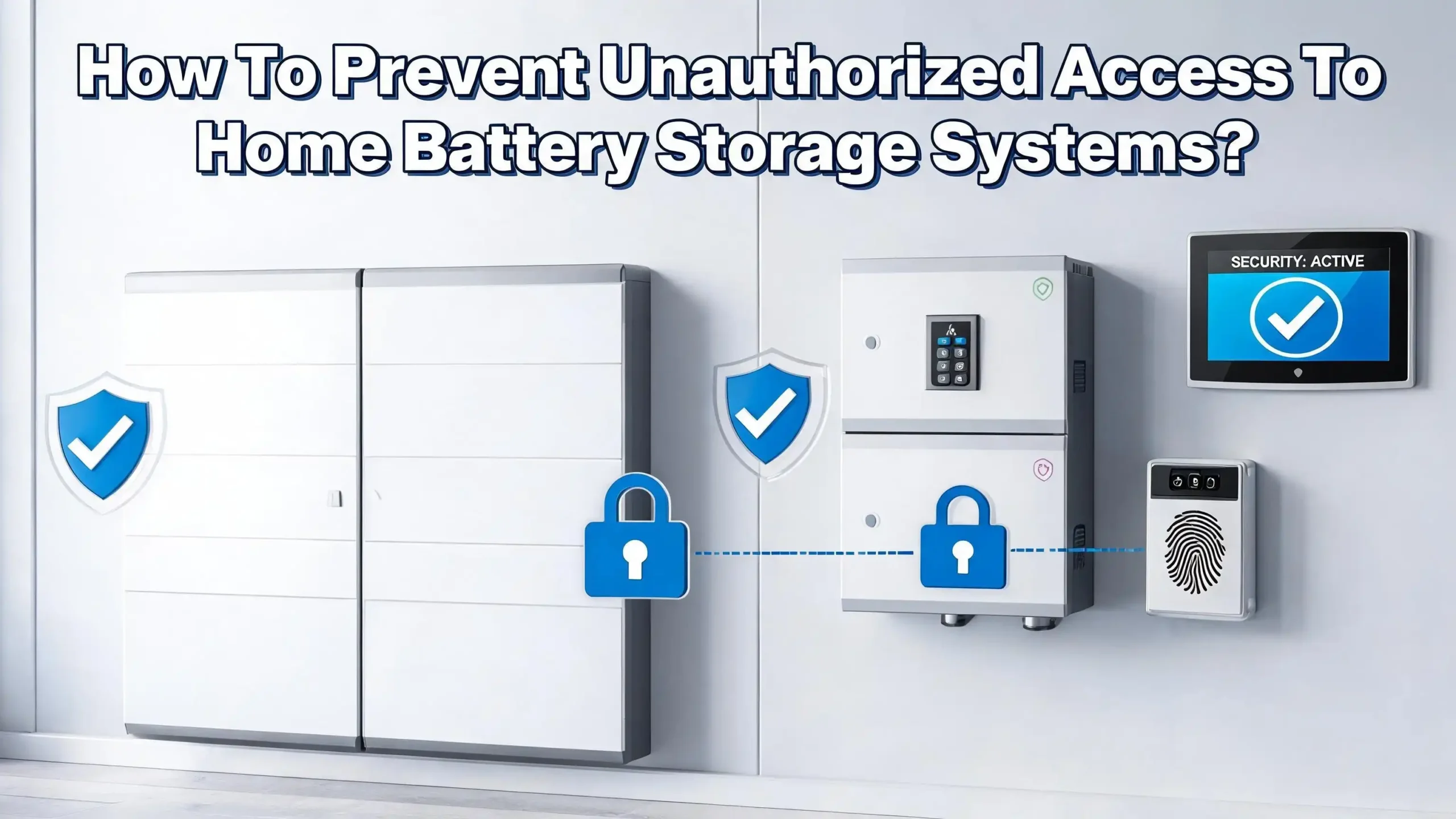
How To Prevent Unauthorized Access To Home Battery Storage Systems?
Home battery storage systems are becoming a common feature in modern households. They store solar energy, provide backup power during outages, and help reduce electricity bills. But here is something many homeowners overlook: these systems can be vulnerable to unauthorized access.
So how do you protect your investment? This guide walks you through practical, step by step solutions to lock down your home battery storage system.
Whether you are worried about physical theft, digital intrusion, or both, you will find clear and actionable strategies below. Your home energy system deserves the same level of protection you give your front door.
Key Takeaways
- Physical security is your first line of defense. Install your battery system in a locked enclosure, use tamper resistant hardware, and place the unit in a location that is difficult for outsiders to access. Motion activated lights and security cameras add extra deterrence.
- Cyber threats are real and growing. Modern home batteries connect to Wi Fi, cloud platforms, and smart inverters. Each digital connection creates a potential entry point for hackers. Change all default passwords immediately after installation.
- Firmware updates are essential. Manufacturers release software patches to fix known security flaws. Keeping your battery management system and inverter firmware current closes gaps that attackers could exploit.
- Network segmentation limits damage. Place your battery system on a separate network from your main home Wi Fi. If one device gets compromised, the attacker cannot easily move to your battery controls.
- Regular audits catch problems early. Check your system logs, inspect physical locks, and review user access permissions at least once every few months. Small issues become big vulnerabilities if ignored.
- Choose certified systems from the start. Look for batteries certified under standards like UL 9540 and manufacturers with a clear track record of releasing security updates.
Why Home Battery Storage Systems Are Targets
Home battery systems hold significant financial and strategic value. A single residential battery unit can cost between $5,000 and $15,000. This makes them attractive targets for theft, especially when installed in visible or easily accessible locations like garages and exterior walls.
The digital side is equally concerning. Modern battery systems connect to the internet for remote monitoring and control. They communicate with smart inverters, home energy management platforms, and utility grid systems. Each of these connections represents a potential entry point for someone with bad intentions.
Cybersecurity experts have flagged that energy storage systems were not originally designed with strong digital security in mind. Many older models use standard industrial communication protocols that prioritize function over protection. As batteries become more connected, the risk profile grows.
Residential systems also face a unique challenge. Unlike commercial installations that may have dedicated security teams, home systems rely entirely on the homeowner for protection. Most homeowners do not receive detailed security guidance during installation. This gap in awareness creates opportunities for both physical intruders and digital attackers.
Understand the Types of Unauthorized Access
Unauthorized access to a home battery system falls into two main categories: physical access and digital access. Understanding both is critical to building a complete security plan.
Physical unauthorized access means someone directly interacts with your hardware. This could involve opening the battery enclosure, disconnecting modules, stealing components, or tampering with wiring. Thieves may target battery units for resale, or vandals may cause damage out of opportunity.
Digital unauthorized access happens when someone gains control of your system through its software, network connections, or cloud interfaces. Hackers might exploit weak passwords, outdated firmware, or unsecured communication channels to take over your battery management system. Once inside, they can manipulate charging cycles, steal usage data, or disable safety features.
A third, often overlooked category involves social engineering. An attacker may pose as a technician, utility representative, or installer to gain access to your system credentials or physical hardware. They may call you, email you, or even show up at your door.
Each type of threat requires a different defense strategy. Physical security alone will not stop a hacker, and strong passwords will not prevent someone from walking off with your battery unit. A layered approach that covers all three categories gives you the strongest protection.
Choose a Secure Installation Location
Where you place your battery system has a major impact on its security. Many homeowners install batteries in garages, on exterior walls, or in utility rooms. Each of these locations has different risk levels.
An interior installation is generally more secure than an exterior one. Batteries placed inside a locked utility closet or basement are harder for intruders to reach. Exterior wall mounted units are visible from the street and accessible to anyone who walks up to your home.
If you must install your battery on an exterior wall, choose a location that is not easily visible from the road or sidewalk. Place it on a side wall or behind fencing rather than on the front of your house. Avoid placing it near ground floor windows or unlocked gates.
Consider the surrounding environment as well. Remove any large bushes or structures that could provide cover for someone attempting to tamper with your system. Good visibility and clear sightlines around your battery installation act as natural deterrents.
Your installer should also factor in physical protection from impacts. A battery system in a garage should be positioned away from vehicle paths. Use bollards or barriers if the unit sits in an area where accidental contact is possible. This protects against both accidental damage and deliberate tampering.
Use Physical Barriers and Tamper Resistant Hardware
Strong physical barriers are the most straightforward way to prevent unauthorized hands from reaching your battery system. Start with a locked enclosure or cabinet that houses the entire battery unit.
Choose enclosures made from heavy gauge steel or aluminum with reinforced locking mechanisms. Standard padlocks offer minimal protection. Instead, use tamper resistant locks that require specialized tools to open. High security disc locks or electronic smart locks with audit trails provide stronger deterrence.
Bolt the enclosure directly to a wall or concrete pad using security fasteners. These are screws and bolts that require special drivers to remove, making it difficult for someone with ordinary tools to detach your battery system. Many battery manufacturers offer compatible mounting brackets with built in security features.
Add tamper detection to your setup. Door sensors on your battery enclosure can alert you instantly if someone opens the unit without authorization. These sensors connect to your home security system or send notifications to your phone. Some advanced battery management systems include built in tamper alerts that trigger when the housing is disturbed.
Protective cages or bollards add another layer for ground mounted or garage installed systems. These barriers prevent both accidental vehicle impacts and intentional removal attempts. The goal is to make accessing your battery system time consuming and noisy enough to discourage any unauthorized attempt.
Install Security Cameras and Motion Sensors
Surveillance is one of the most effective deterrents against physical unauthorized access. A visible security camera near your battery installation tells potential intruders they are being watched and recorded.
Position at least one camera with a clear view of your battery system and its surrounding area. Choose a camera with night vision, weatherproofing, and cloud storage for recorded footage. Local storage on an SD card is a useful backup in case your internet connection goes down.
Motion activated lights are a simple but powerful addition. Install bright LED floodlights near your battery that turn on automatically when movement is detected. Sudden illumination startles intruders and draws attention from neighbors.
Motion sensors can also trigger alerts on your smartphone. Modern smart home sensors are inexpensive and easy to install. Place them near access points to your battery enclosure, such as doors, gates, or walkways. These sensors work alongside your cameras to create a layered detection system.
Integrate your battery area surveillance with your main home security system. This allows a single monitoring platform to cover all entry points, cameras, and sensors. If your home security system includes professional monitoring, the security company can dispatch help when an alert triggers near your battery unit. This combination of detection, illumination, and response creates a strong physical security perimeter.
Secure Your Network and Wi Fi Connections
Most home battery systems connect to your local Wi Fi network for remote monitoring, firmware updates, and energy management. This network connection is one of the most common digital attack surfaces.
Start by securing your home Wi Fi router. Change the default administrator username and password. Use WPA3 encryption, which is the strongest standard currently available for home networks. If your router only supports WPA2, make sure you use a long, complex password with at least 16 characters.
Create a separate Wi Fi network or VLAN (virtual local area network) for your battery system and other smart home devices. This practice is called network segmentation. It keeps your battery controls isolated from your personal computers, phones, and tablets. If a hacker compromises one network, they cannot easily jump to the other.
Disable remote access to your router unless you specifically need it. Turn off features like UPnP (Universal Plug and Play) and WPS (Wi Fi Protected Setup), which can create security holes. Review your router’s connected device list regularly to spot any unknown devices.
Consider using a firewall appliance or enabling your router’s built in firewall. This adds a filter between the internet and your home devices, blocking suspicious incoming traffic. For homeowners with advanced technical skills, setting up IP whitelisting allows only known devices to communicate with your battery system.
Change Default Passwords and Enable Strong Authentication
One of the most common ways hackers gain access to home battery systems is through default usernames and passwords. Many battery management systems, inverters, and monitoring apps ship with factory set credentials like “admin/admin” or “user/1234.”
Change every default password immediately after installation. This includes the battery management system login, the inverter web interface, the monitoring app, and any cloud platform accounts. Use a unique, complex password for each one. A strong password contains at least 12 characters with a mix of uppercase letters, lowercase letters, numbers, and symbols.
Enable two factor authentication (2FA) wherever it is available. Two factor authentication requires a second verification step, usually a code sent to your phone, in addition to your password. Even if someone steals your password, they cannot log in without that second code.
Use a password manager to generate and store complex passwords securely. Avoid writing passwords on sticky notes near your system or sharing them through unencrypted email. Limit the number of people who have login credentials to your battery system.
Review user accounts periodically and remove access for anyone who no longer needs it. If your installer created a temporary account during setup, delete it or change the password once the work is done. Every unused account is a potential doorway for unauthorized access.
Keep Firmware and Software Updated
Firmware is the software embedded in your battery management system, inverter, and monitoring hardware. Manufacturers release firmware updates to fix security flaws, patch bugs, and improve performance. Skipping these updates leaves your system exposed to known threats.
Check for firmware updates at least once a month. Many modern battery systems support automatic updates, which is the simplest way to stay current. If your system requires manual updates, set a recurring calendar reminder so you do not forget.
Before applying any update, verify that it comes from the official manufacturer. Download firmware only from the manufacturer’s website or through the official app. Never install firmware files sent via email or downloaded from third party websites. Malicious firmware can give an attacker complete control over your battery system.
Keep your monitoring app and any associated cloud platform software up to date as well. These applications often run on your phone or computer and can contain vulnerabilities of their own. Enable automatic updates for these apps whenever possible.
If your battery system is older and the manufacturer has stopped releasing updates, this is a significant security concern. Contact the manufacturer to ask about their end of life support policy. In some cases, upgrading to a newer system with active support is the safest long term choice.
Monitor System Logs and Activity
Your battery management system generates logs that record events like login attempts, configuration changes, charging cycles, and error messages. These logs are your digital security camera. They show you exactly what is happening with your system over time.
Make it a habit to review your system logs at least once a month. Look for unusual patterns such as login attempts at odd hours, failed password entries, unexpected configuration changes, or connections from unknown IP addresses. Any of these can signal that someone is trying to access your system without permission.
Many modern battery systems offer alert notifications for critical events. Enable these alerts so you receive a message on your phone when something unusual happens. Quick detection gives you time to respond before an intruder causes serious damage.
If your system supports logging of API calls and remote access sessions, turn this feature on. It creates a detailed trail of every interaction with your system. This information is valuable for identifying the source of a breach and for working with authorities if a security incident occurs.
Store your logs in a secure location. If logs are only kept on the battery system itself, an attacker who gains access could delete them. Cloud based log storage or automatic backup to a separate device preserves your records even if the main system is compromised.
Protect Against Social Engineering Attacks
Social engineering is a technique where an attacker manipulates people rather than technology. In the context of home battery systems, this might look like a phone call from someone claiming to be your installer, a fake email from your battery manufacturer, or a person showing up at your door in a utility uniform.
Always verify the identity of anyone requesting access to your battery system. If someone calls and asks for your login credentials, hang up and contact the company directly using the phone number on their official website. Legitimate companies will never ask for your password over the phone.
Be cautious about sharing details about your home energy setup on social media. Posts about your new battery system, photos showing its location, or discussions about your energy provider give potential attackers useful information. Keep these details private.
If a technician needs to visit your home for maintenance, confirm the appointment with the company beforehand. Ask for identification when they arrive. Do not leave the technician alone with your system unless you trust the company. Watch for any unusual activity during the visit.
Educate everyone in your household about these risks. Family members who share access to the monitoring app or who might answer the door should know not to give out system information to strangers. A well informed household is much harder to trick than one where only one person understands the security risks.
Choose Battery Systems With Built In Security Features
The security of your home battery system starts with the product you choose. Not all battery systems are built with the same level of protection. Some manufacturers prioritize security in their design, while others treat it as an afterthought.
Look for systems that carry UL 9540 certification, which is the primary safety standard for energy storage systems in the United States. This certification covers electrical safety, fire protection, and overall system integrity. It does not cover cybersecurity directly, but it indicates a manufacturer that takes safety seriously.
For digital security, check whether the system uses encrypted communications between its components. Strong encryption protocols like TLS (Transport Layer Security) protect data as it moves between your battery, inverter, and monitoring platform. Without encryption, an attacker on your network could intercept and modify commands.
Ask the manufacturer about their security update policy before you buy. How often do they release firmware updates? Do they have a dedicated security team? What is their process for responding to reported vulnerabilities? A manufacturer that cannot answer these questions clearly may not provide the ongoing protection your system needs.
Role based access control is another valuable feature. This means different users get different levels of permission. An installer might need full access during setup, but your day to day monitoring account should have limited privileges. This reduces the damage that any single compromised account can cause.
Work With Qualified and Trusted Installers
Your installer has full access to your battery system during setup. They configure network settings, create user accounts, and connect your system to the grid. Choosing the wrong installer can leave security gaps that persist for years.
Select an installer who is licensed, insured, and certified by the battery manufacturer. Ask for references and check online reviews. A qualified installer understands not just the electrical work but also the security implications of how they configure your system.
After installation, make sure you receive all login credentials and account information. Change any passwords that the installer set during configuration. Ask the installer to remove or disable any temporary accounts they created for testing or setup purposes.
Request a walkthrough of the security features your system offers. A good installer will explain how to check firmware updates, review system logs, and configure alert notifications. They should also point out the physical security features of your installation and suggest improvements if needed.
Get a written summary of all network configurations applied during installation. This includes Wi Fi settings, port configurations, IP addresses, and any remote access settings. This document helps you maintain your system’s security over time and is essential if you ever need to troubleshoot or audit your setup.
Create a Regular Security Maintenance Schedule
Security is not a one time setup. It requires ongoing attention and regular maintenance. A schedule keeps you accountable and ensures no aspect of your system’s protection falls through the cracks.
Set a monthly reminder to check for firmware updates on your battery management system, inverter, and monitoring app. At the same time, review your system logs for any suspicious activity. This monthly check takes about 15 to 30 minutes and can prevent major problems.
Every three months, perform a physical inspection of your battery enclosure. Check that locks are working, tamper sensors are functional, security cameras have clear lenses, and motion sensor batteries are charged. Look for any signs of tampering such as scratches around locks, loose bolts, or displaced panels.
Twice a year, review all user accounts and passwords. Remove accounts that are no longer needed. Update passwords for all active accounts. Verify that two factor authentication is still enabled and functioning properly on every platform connected to your battery system.
Once a year, consider a more thorough security audit. Test your network segmentation to make sure your battery system is still isolated from your main home network. Run a vulnerability scan if you have the technical skills, or hire a professional to do it. Document your findings and address any issues promptly. A consistent maintenance routine is what separates a secure system from a vulnerable one.
Know What To Do If a Breach Occurs
Even with strong security measures in place, breaches can happen. Having a response plan saves time and limits damage when something goes wrong.
If you suspect physical tampering, do not touch or disturb the battery system. Take photos of any damage or evidence. Contact local law enforcement and file a report. Notify your homeowner’s insurance company and your battery system manufacturer. Physical tampering may have also affected system safety, so avoid using the system until a qualified technician inspects it.
For a suspected digital breach, immediately change all passwords associated with your battery system. Disconnect the system from your Wi Fi network to prevent further unauthorized access. Check your system logs to identify when the breach occurred and what actions the intruder took.
Contact your battery manufacturer’s support team. They can help you assess the damage, restore safe configurations, and identify how the attacker gained access. If the breach involved your home network, consider changing your router password and running a malware scan on all connected devices.
Document everything. Write down what happened, when you noticed it, and what steps you took in response. This record helps law enforcement, insurance adjusters, and technical support teams understand the situation. It also helps you improve your security measures to prevent a repeat incident.
Frequently Asked Questions
Can someone hack my home battery storage system remotely?
Yes, remote hacking is possible if your battery system connects to the internet. Attackers can exploit weak passwords, outdated firmware, or unsecured network connections to gain control. Protect yourself by using strong unique passwords, enabling two factor authentication, keeping firmware updated, and placing your battery on a separate network from your main devices.
What is the biggest security risk for home battery systems?
The biggest risk is a combination of default passwords left unchanged and outdated firmware. These two issues account for a large percentage of successful attacks on smart home devices. Changing default credentials immediately after installation and maintaining a regular update schedule dramatically reduces your exposure.
Do I need a separate Wi Fi network for my battery system?
A separate network is strongly recommended. Network segmentation keeps your battery system isolated from your personal devices. If an attacker compromises your laptop or phone, they cannot easily reach your battery controls on a different network. Most modern routers allow you to create a guest or secondary network for this purpose.
How often should I update my battery system firmware?
Check for updates at least once a month. Enable automatic updates if your system supports them. Firmware patches fix known security flaws, and delaying updates leaves those flaws open for attackers to exploit. Treat firmware updates with the same urgency as locking your front door.
Will a home security system protect my battery from theft?
A home security system adds a strong layer of deterrence and detection. Cameras, motion sensors, and alarm systems make it harder for someone to access your battery without being noticed. However, you should also use physical barriers like locked enclosures, tamper resistant hardware, and security fasteners for complete protection.
What certifications should I look for in a secure home battery?
Look for UL 9540 certification for overall system safety. For cybersecurity, check whether the manufacturer follows industry frameworks like IEC 62443 for industrial control system security. Ask about encrypted communications, role based access control, and the manufacturer’s history of releasing timely security updates.

Hi, I’m Lusi. I’m a tech enthusiast who loves digging into gadgets, testing products, and helping people find the best tech for their needs and budget. Got a question or a product you’d like me to review? Drop me a mail— I’d love to hear from you!