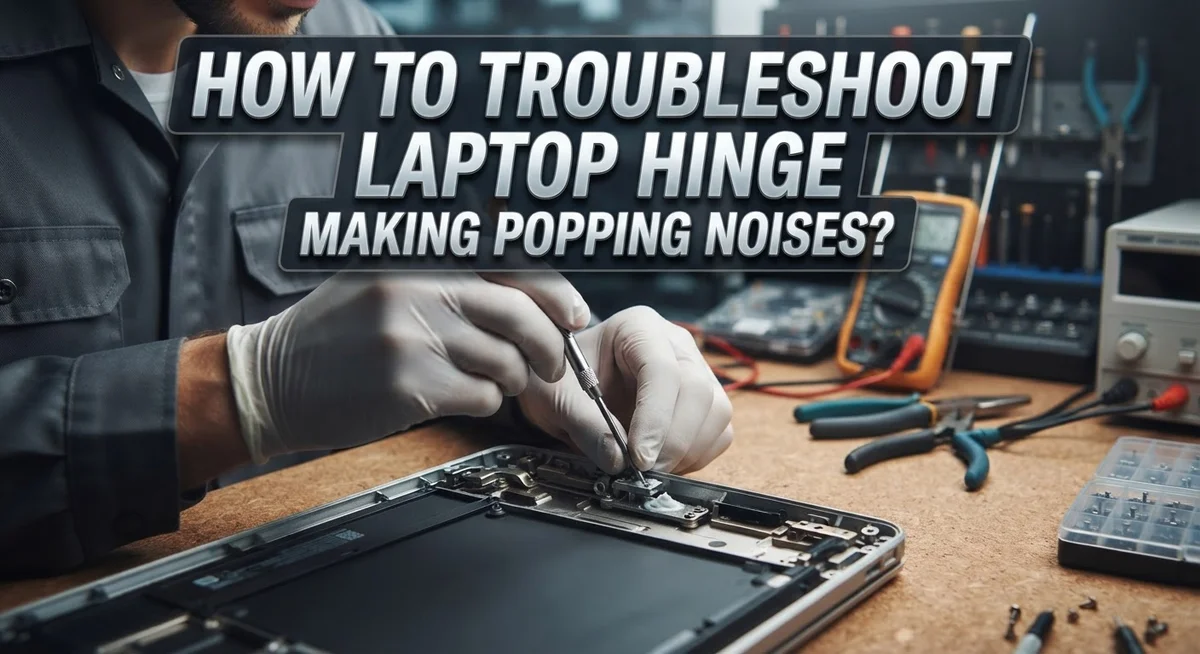
How To Troubleshoot Laptop Hinge Making Popping Noises?
That unsettling pop from your laptop hinge can stop you cold. It raises an instant question: is something broken, or is this just a minor quirk?
The truth is, laptop hinges are one of the most common failure points on any portable computer. A popping noise can start as a soft click and gradually turn into something more serious if ignored.
The noise usually happens during opening or closing. It can come from one side or both, and it may appear as early as six to eight months into regular use.
The good news is that many hinge issues are fixable without professional help. Understanding the cause is the first step toward a solution.
This article walks you through everything you need to know. You will learn how to identify the source of the noise, understand what is causing it, and follow clear troubleshooting steps to address the problem.
In a Nutshell
Popping noises from laptop hinges usually happen because of poorly cut plastic inside the hinge, a loose bracket, or general hinge wear over time.
The noise can be a soft click or a distinct pop, and it often comes from just one side of the laptop.
Early signs should not be ignored. A small clicking sound can get worse if you keep opening and closing the lid aggressively.
The most common fixes include re-lubricating the hinge, tightening the hinge bracket, or replacing the hinge entirely if the damage is severe.
Forcing the hinge or repeatedly stressing it will make the problem worse faster.
Simple habits like gentle handling and avoiding extreme opening angles can prevent hinge damage from developing in the first place.
What Causes a Laptop Hinge to Make Popping Noises?
A laptop hinge makes popping noises for several specific reasons. Understanding these causes helps you fix the problem correctly.
Poorly cut plastic inside the hinge is one of the most common culprits. During manufacturing, small plastic pieces can be left inside the hinge mechanism. When you open or close your laptop, these fragments catch and release, creating that distinctive popping sound.
Loose hinge brackets also cause this noise frequently. The bracket connects the hinge to your laptop’s base. If screws loosen over time, the bracket shifts slightly during movement. This movement creates friction and popping sounds as metal parts rub together.
Hinge degradation is another major factor. Laptop hinges are stress points that flex thousands of times. Metal components can wear down, and the internal mechanism may develop tiny cracks or gaps. These structural problems produce popping noises as the hinge flexes.
The noise typically appears within 6 to 8 months of regular use. You might notice it happens on just one side of your laptop, usually the side that opens more frequently or experiences more stress.
The popping can sound different depending on the cause. Some people describe it as soft clicking, while others hear a distinct pop. The sound often gets louder or more frequent if you ignore it.
Moisture and dust can also play a role. Particles entering the hinge mechanism create friction. Moisture can cause metal components to rust slightly, which produces crackling or popping sounds.
The key is identifying where the noise comes from. Listen carefully as you open and close your laptop slowly. Does it come from the left hinge, right hinge, or both? This information helps you pinpoint the exact problem and choose the right fix.
How to Identify Where the Popping Noise Is Coming From
Finding where your laptop hinge makes that popping noise is your first troubleshooting step. This tells you whether the problem is serious or minor.
Listen carefully while opening and closing your lid. Pay attention to exactly when the sound happens. Does it pop right at the start of opening? Does it crack during the middle movement? Or does it happen as you close the lid completely? The timing matters because it points to different causes.
Identify which side makes the noise. Most popping comes from one hinge, not both. Gently open your laptop while listening closely to the left hinge, then repeat for the right side. You may need to do this several times to be sure. Some people find it helpful to have a friend listen while they operate the lid.
Feel for vibration during the noise. Place your fingers lightly on each hinge while opening and closing. You might feel a small vibration or movement that matches the popping sound. This confirms the hinge location.
Check the opening angle. Does the noise happen at a specific angle? Try opening your laptop to different degrees. Some hinges pop only when fully opened or at certain positions. This detail helps identify whether plastic debris is catching or if the bracket is loose.
Note if the sound changes. Does the popping stay the same each time, or does it vary? Consistent popping usually means a loose part. Changing sounds might indicate debris moving inside the hinge.
Record these observations. They make troubleshooting much faster and help you explain the problem clearly if you need professional help later.
Step-by-Step Guide to Diagnosing the Hinge Problem
Start by opening your laptop slowly and listen carefully. Pay close attention to when the sound happens. Does it pop when you first crack the lid open? Does it happen halfway through? Does it occur when you close the laptop? These details matter.
Next, identify which hinge makes the noise. Most popping comes from one side, not both. Open your laptop with one hand and place your other hand near the left hinge. Feel for vibration while opening and closing. Then repeat this test on the right side. This helps you pinpoint the problem location.
Check the opening angle carefully. Open your laptop to different degrees. Does the noise happen only when fully open? Does it pop at 45 degrees? Does it occur throughout the entire motion? Some hinges pop only at specific angles, which tells you a lot about what’s wrong inside.
Pay attention to consistency. Does the popping sound identical every time you open the lid? Or does it vary? Consistent popping usually means a loose bracket or internal plastic catching. Varying sounds might indicate dust or debris moving around inside the hinge.
Document what you find. Write down which side makes noise, at what angle it happens, and how consistent the sound is. This information helps you decide whether you need lubrication, bracket tightening, or professional repair.
Finally, avoid forcing the hinge during diagnosis. Open and close your laptop gently. Aggressive movements can worsen the problem and damage the hinge further. Your goal is gathering information, not fixing it yet.
How to Lubricate a Laptop Hinge to Stop Popping Sounds
Lubrication is one of the most effective ways to stop hinge popping. The noise often comes from friction between metal parts or plastic catching inside the hinge mechanism. Adding lubricant reduces this friction and allows smooth movement.
Before you start, gather your supplies. You need a lubricant designed for electronics or machinery. Silicone based lubricants work well because they don’t attract dust. Avoid heavy oils or grease, as these can accumulate debris over time.
Power off your laptop completely and unplug it. Let it cool for a few minutes. This ensures safety while you work.
Open your laptop to a comfortable angle. Position it so you can see the hinge clearly. Use a small brush or cloth to remove any visible dust or debris around the hinge area first.
Apply lubricant sparingly to the hinge joint. A tiny amount goes a long way. You can use a small applicator bottle or a thin straw to direct the lubricant precisely. Avoid getting lubricant on the screen or keyboard.
Gently open and close your laptop several times. This distributes the lubricant throughout the hinge mechanism. Move slowly and smoothly without forcing the lid.
Wipe away any excess lubricant with a clean cloth. Too much lubricant can cause problems later.
Let the laptop sit for 15 to 20 minutes before using it. This allows the lubricant to settle into the joints properly.
Test the hinge by opening and closing it normally. Listen for the popping noise. If the sound persists, the problem may be a loose bracket or internal damage. In that case, you may need professional repair or hinge replacement.
How to Check and Tighten a Loose Hinge Bracket
A loose hinge bracket is one of the most common reasons your laptop makes popping sounds. The bracket connects your hinge to the laptop base, and when it’s not tight, movement creates that annoying noise.
Start by powering off your laptop completely. Unplug it from any power source. Wait a few minutes to let it cool down. Safety comes first when working with your device.
Next, locate the hinge bracket on your laptop. You’ll find it underneath the screen or along the sides where the lid connects to the base. Most brackets use small screws to hold them in place.
Examine each screw carefully. Look for any that appear loose or not flush against the bracket. Use a flashlight if you need better visibility. Check both the left and right hinges, as one side may be looser than the other.
Grab a screwdriver that matches your laptop’s screw size. Most laptops use Phillips head screws, but some use flathead or specialty screwdrivers. Using the wrong size can strip the screw and make things worse.
Gently tighten each screw by turning clockwise. Don’t overtighten. You want snug and secure, not forced. Overtightening can crack the plastic bracket or strip the screw holes.
After tightening all visible screws, close your laptop slowly. Listen carefully for the popping sound. Open and close it several times at different angles.
If the noise persists after tightening, the bracket itself may be cracked or the hinge could have internal damage. In that case, consider professional repair or hinge replacement. But many popping noises disappear once you secure a loose bracket properly.
When the Popping Noise Signals a Serious Hinge Failure
A popping noise from your laptop hinge can signal serious damage if you ignore it. The sound often means internal components are breaking down or plastic parts are cracking inside the hinge mechanism.
Persistent popping typically indicates hinge failure is progressing. If the noise happens every time you open or close your laptop, the hinge bracket may be cracked. The metal or plastic components inside are likely grinding against each other. This damage usually worsens over time.
One clear sign of serious failure is when the popping gets louder or more frequent. You might also notice the screen doesn’t stay in place at certain angles. The hinge may feel loose or wobbly when you move your laptop gently side to side.
Another warning sign is if the popping comes with resistance. Your laptop might feel stiff when opening or closing. You could hear cracking sounds mixed with the popping. These symptoms mean internal structural damage has occurred.
The hinge bracket connection to your laptop base may be severely compromised. Metal fatigue or stress fractures inside the hinge are common causes. Plastic hinges break more easily than metal ones, especially after repeated opening and closing.
If you notice these serious signs, avoid opening and closing your laptop unnecessarily. Each movement puts more stress on the damaged hinge. Using an external monitor and keyboard can help you work without moving the screen.
Serious hinge failure often requires professional replacement. Attempting DIY repairs at this stage may cause more damage. The hinge assembly typically needs complete replacement rather than simple lubrication or tightening. Contact a repair specialist to assess whether your hinge needs full replacement or if other solutions might work.
Common Mistakes That Make Laptop Hinge Noise Worse
Many people accidentally make hinge noise worse without realizing it. Understanding these mistakes helps you protect your laptop from further damage.
Forcing the hinge is the biggest mistake. When you hear popping sounds, your instinct might be to open and close the lid repeatedly to “work it out.” This actually causes more stress on the hinge mechanism. Each forced movement can crack internal components further or loosen the bracket more. Gentle, slow movements are always better.
Ignoring early clicking sounds is another common error. Many users dismiss soft clicks as minor issues. These early sounds often signal that something inside the hinge is already breaking down. Addressing the problem early stops it from becoming a serious failure. Once the noise gets louder, repair becomes more difficult.
Excessive opening angles create unnecessary strain. Opening your laptop flat or beyond 180 degrees puts extra pressure on the hinge. The hinge bracket wasn’t designed for extreme angles. Over time, this causes the bracket to bend or loosen further. Keep your laptop at comfortable, normal angles during use.
Neglecting to power off before troubleshooting is risky too. Working on your laptop while it’s running can damage internal components. Always shut down completely and unplug before attempting any fixes.
Another mistake is using the wrong lubricant. Regular oils or household lubricants can attract dust and gum up the hinge. Electronics specific lubricants are much better because they don’t collect debris.
Finally, avoid opening your laptop chassis yourself unless you’re experienced. Forcing plastic clips or stripping screws makes repairs more expensive later. When in doubt, leave internal repairs to professionals who have the right tools and knowledge.
How to Prevent Laptop Hinge Popping Noises in the Future
Prevention is your best defense against laptop hinge problems. Start by handling your laptop gently during daily use. Avoid slamming the lid shut or opening it too quickly. These rough movements stress the hinge components over time.
Keep your laptop at reasonable opening angles. Opening your screen beyond 120 to 140 degrees puts extra pressure on the hinge bracket and internal mechanisms. Most people don’t need to open their laptops that wide anyway. A moderate angle works fine for typing and viewing.
Clean around your hinge regularly to prevent debris buildup. Dust and small particles can get lodged in the hinge area. Use a soft brush or compressed air to gently remove any dirt. This stops foreign materials from causing friction or popping sounds.
Store your laptop properly when you’re not using it. Keep it in a protective case or bag that cushions the hinge area. Avoid placing heavy items on top of your closed laptop. Pressure on the hinge can damage internal components gradually.
Use your laptop on stable surfaces whenever possible. Typing on uneven surfaces or your lap causes the screen to move unexpectedly. This creates stress on the hinges. A flat desk or table is always better for your device.
Give your hinges occasional breaks. If you use your laptop constantly, close it periodically and let it rest. This reduces continuous wear on the hinge mechanisms. Even short breaks help extend hinge lifespan.
Monitor your hinge sounds carefully. Early clicking or soft popping might seem harmless, but it signals potential problems. Address these sounds early before they become serious. Catching issues early prevents expensive repairs down the road.
Final Thoughts
A popping laptop hinge can feel frustrating, but it is a very fixable problem in most cases. Starting early makes a big difference. The sooner you address the noise, the less damage you risk to your laptop’s frame and screen.
Soft clicking sounds are usually minor. They often point to small plastic debris or light lubrication issues. These are easy to handle with basic troubleshooting steps you can do at home.
Persistent or loud popping is a different story. That kind of noise typically means the hinge bracket is loose, degraded, or failing. Ignoring it can lead to cracked casings or a broken screen connection.
The most important thing is to stay calm and work through the problem step by step. Identify which side the noise comes from. Check for visible debris. Try lubrication before jumping to more advanced repairs.
Gentle handling is your biggest long-term protection. Opening and closing your laptop slowly reduces stress on both hinges significantly. It is a simple habit that extends the life of your device.
If basic fixes do not work, a professional repair technician can tighten brackets, replace worn hinges, or address internal damage safely. There is no shame in getting expert help when needed.
Remember, hinge problems can appear within just 6 to 8 months of regular use, especially with aggressive handling. That shows how sensitive these small components really are.
Your laptop is a daily tool worth protecting. Treat the hinge with care, act on early warning sounds, and use the troubleshooting steps in this guide confidently. You now have everything you need to handle this problem well.
Frequently Asked Questions
Will my laptop hinge get worse if I keep using it?
Yes, it usually will. Ignoring early clicking sounds allows the problem to grow. The loose bracket shifts more with each opening and closing. Plastic debris inside the hinge creates more friction. Over time, the hinge weakens further. Stop using it aggressively as soon as you hear popping.
Can I fix a popping hinge myself?
Maybe. Soft clicking often responds to lubrication or removing debris. You can gently clean around the hinge opening. Apply a small amount of light lubricant to the joint. However, if the bracket is loose or the hinge is damaged, you need professional help. Do not force the hinge open or take apart your laptop unless you have experience.
How long does a laptop hinge usually last?
Most hinges work fine for 3 to 5 years with normal use. Popping noises can appear within 6 to 8 months if you open your laptop roughly. Hinges are common failure points. The bracket can loosen, plastic can crack, and metal can wear down. Gentle handling extends hinge life significantly.
Is popping noise different from regular clicking?
Yes, they are different. Soft clicking is usually minor plastic debris or slight lubrication issues. Persistent popping is louder and indicates a loose bracket or hinge degradation. Clicking may resolve with cleaning. Popping typically requires bracket tightening or hinge replacement. Pay attention to the sound’s volume and frequency.
Should I leave my laptop open or closed to help the hinge?
Leaving it open at a comfortable angle reduces stress on the hinge. This gives the bracket less constant pressure. However, avoid opening it flat or beyond 180 degrees. Store your laptop closed when you are not using it. Balance between normal use and gentle care.

Hi, I’m Lusi. I’m a tech enthusiast who loves digging into gadgets, testing products, and helping people find the best tech for their needs and budget. Got a question or a product you’d like me to review? Drop me a mail— I’d love to hear from you!